admin
ai-prativa-dashboard/
│
├── public/
│   └── icons/
│       ├── logo.svg
│       └── categories/
│           ├── healthcare.svg
│           ├── finance.svg
│           ├── ecommerce.svg
│           ├── education.svg
│           ├── customer-service.svg
│           ├── transportation.svg
│           ├── manufacturing.svg
│           ├── real-estate.svg
│           ├── agriculture.svg
│           ├── energy.svg
│           ├── entertainment.svg
│           ├── legal.svg
│           ├── human-resources.svg
│           ├── hospitality.svg
│           ├── gaming.svg
│           ├── cybersecurity.svg
│           ├── supply-chain.svg
│           └── retail.svg
│
├── src/
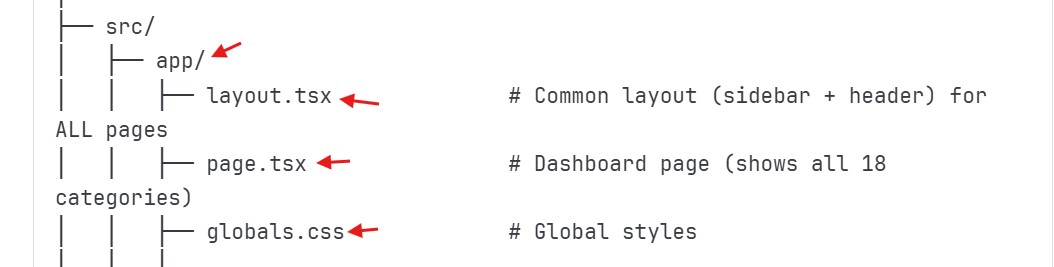
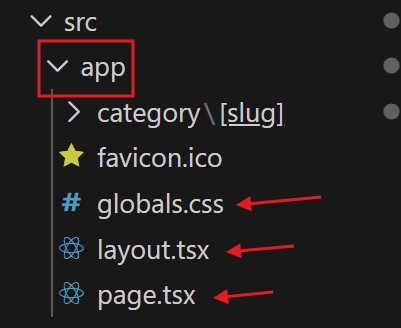
│   ├── app/
│   │   ├── layout.tsx              # Common layout (sidebar + header) for ALL pages
│   │   ├── page.tsx                # Dashboard page (shows all 18 categories)
│   │   ├── globals.css             # Global styles
│   │   │
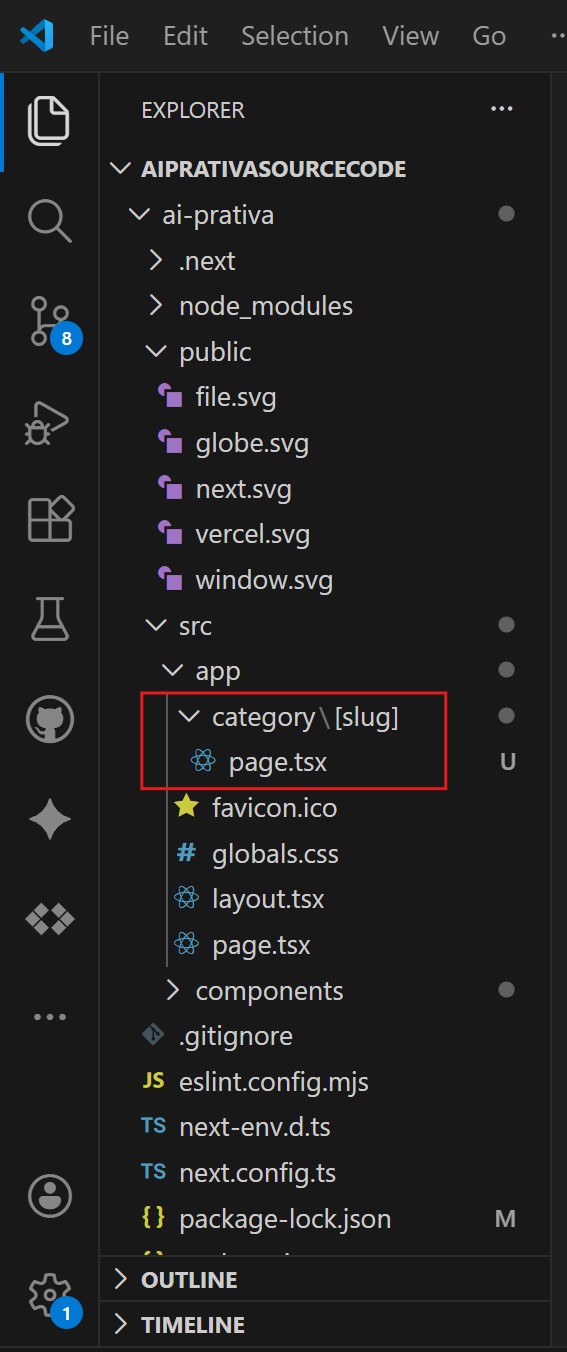
│   │   ├── category/               # Category routes
│   │   │   └── [slug]/
│   │   │       └── page.tsx        # Single page handles all 18 categories
│   │   │
│   │   ├── profile/
│   │   │   └── page.tsx
│   │   │
│   │   ├── settings/
│   │   │   └── page.tsx
│   │   │
│   │   └── subscription/
│   │       └── page.tsx
│   │
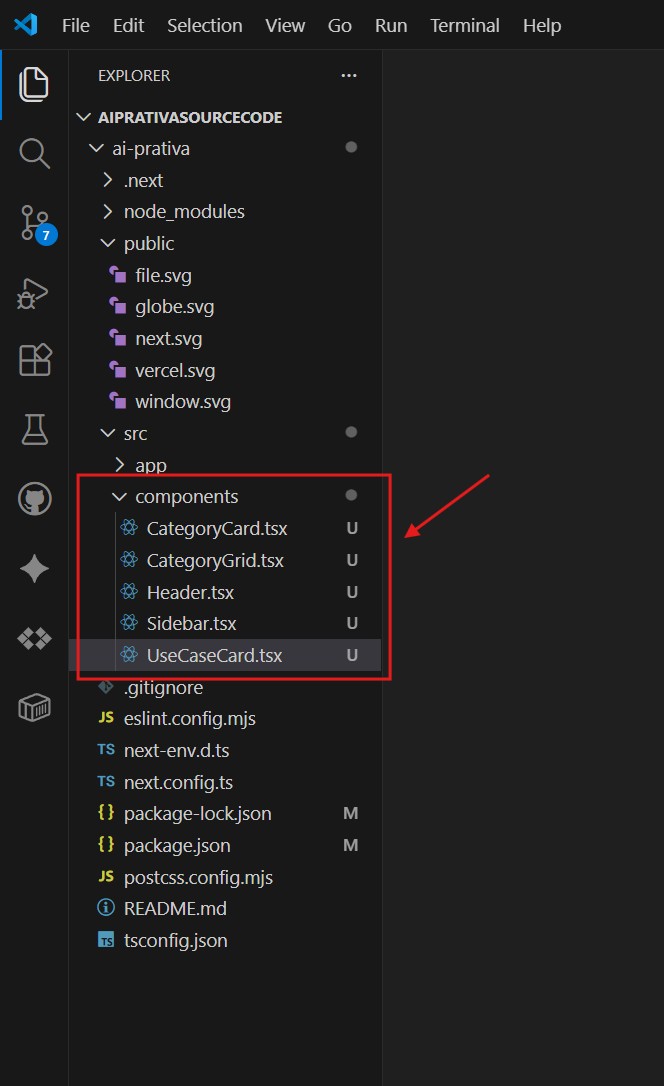
│   ├── components/
│   │   ├── Sidebar.tsx             # Sidebar component
│   │   ├── Header.tsx              # Header component
│   │   ├── CategoryCard.tsx        # Category card for dashboard
│   │   ├── CategoryGrid.tsx        # Grid of categories
│   │   └── UseCaseCard.tsx         # Use case card for category page
│   │
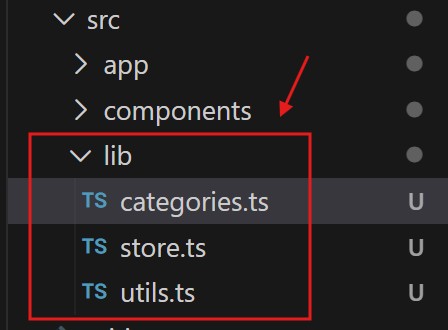
│   ├── lib/
│   │   ├── categories.ts           # ALL 18 categories data in ONE file
│   │   ├── store.ts                # Zustand store
│   │   └── utils.ts                # Utility functions
│   │
│   └── types/
        ├──types.ts                    # All TypeScript types
│
├── .env.local
├── next.config.js
├── tailwind.config.ts
├── tsconfig.json
├── package.json
└── README.md
#1 '/app' folder default project layout
#2 Create 'category' folder under '/app' folder which will have all the 18 categories.
#3 Create 'profile' , 'settings' , 'subscriptions' seperate folder.
#4 Create 'component' Folder Under '/src'. These are the components that can be used in all the pages.
#5 Create 'lib' Folder Under '/src'. Which will have all the functanality code inside it.
#6 Create 'type' Folder Under '/src'. Which will have all the types code inside it.
Your email address will not be published. Required fields are marked *
Comment *
Name *
Email *
Website
Save my name, email, and website in this browser for the next time I comment.