-
How To Generate Random Numbers Using NumPy ?
How To Generate Random Numbers Using NumPy ? Table Of Contents: What Are Random Numbers? Examples Of Random Number Generators. (1) What Are Random Numbers? As the name suggests, a random number is a number chosen by chance – i.e., randomly, from a set of numbers. All the numbers in a specified distribution have an equal probability of being chosen randomly. (2) Random Numbers? Syntax: Default Random Number Generators np.random.default_rng() Example: Initializing The Generator rng = np.random.default_rng() Using ‘random()’ Function To Generate Numbers Syntax: numpy.random.random(size=None) Parameters: size : int or tuple of ints, optional – Output shape. If the given shape is,
-
More Useful Array Operations.
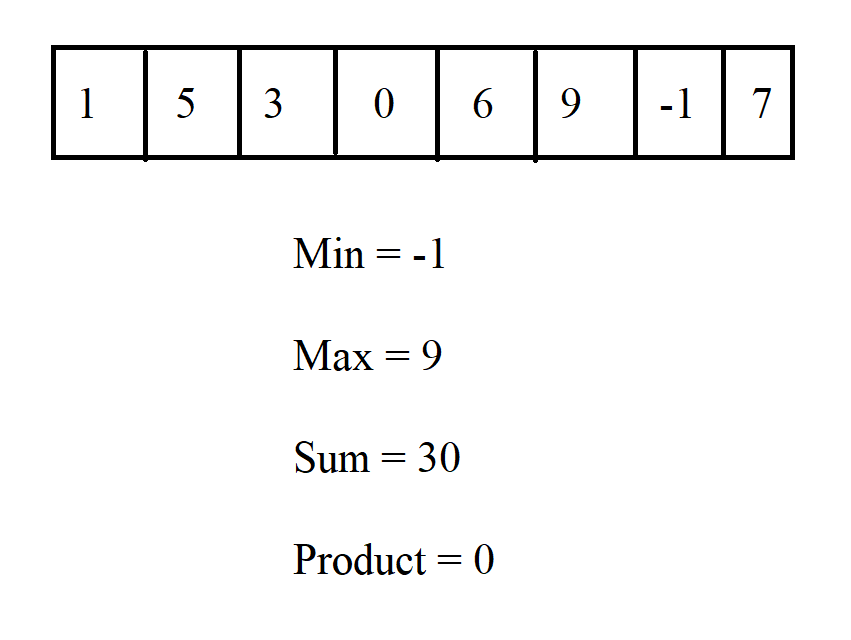
More Useful Array Operations. Table Of Contents: Maximum, Minimum, Sum, Mean, Product, Standard Deviation (1) data.max() data.max( ) will give you the ‘max’ value present in the array. Example: import numpy as np data = np.array([3,1,5,9,2,-3,9,10]) data.max() Output: 10 (2) data.min() data.min( ) will give you the ‘minimum’ value present in the array. Example: import numpy as np data = np.array([3,1,5,9,2,-3,9,10]) data.min() Output: -3 (3) data.sum() data.sum( ) will give you the ‘sum’ of values present in the array. Example: import numpy as np data = np.array([3,1,5,9,2,-3,9,10]) data.sum() Output: 36 (4) np.prod() np.prod( ) will give you the ‘product’ of values
-

What Is Numpy Broadcasting ?
What Is Numpy Broadcasting ? Table Of Contents: What Is Broadcasting ? Examples Of Broadcasting. (1) What Is Broadcasting ? The term broadcasting describes how NumPy treats arrays with different shapes during arithmetic operations. Subject to certain constraints, the smaller array is “broadcast” across the larger array so that they have compatible shapes. (2) Examples Of Broadcasting ? Example-1: import numpy as np data = np.array([1.0, 2.0]) data * 1.6 Output: array([1.6, 3.2]) Example-2: a = np.array([[ 0.0, 0.0, 0.0], [10.0, 10.0, 10.0], [20.0, 20.0, 20.0], [30.0, 30.0, 30.0]]) b = np.array([1.0, 2.0, 3.0]) a + b Output: array([[ 1.,
-

Basic Numpy Array Operations.
Basic Numpy Array Operations. Table Of Contents: addition, subtraction, multiplication, division sum( ) (1) Numpy Addition You can use ‘+’ operator for addition operation. Example: data = np.array([1, 2]) data array([1, 2]) ones = np.ones(2, dtype=int) ones array([1, 1]) data + ones Output: array([2, 3]) (2) Numpy Substraction You can use ‘-‘ operator for subtraction operation. Example: data = np.array([1, 2]) data array([1, 2]) ones = np.ones(2, dtype=int) ones array([1, 1]) data – ones Output: array([0, 1]) (3) Numpy Multiplication You can use ‘*’ operator for multiplication operation. Example: data = np.array([1, 2]) data array([1, 2]) ones = np.ones(2, dtype=int) ones
-
How To Create An Array From Existing Data ?
How To Create An Array From Existing Data ? Table Of Contents: Slicing and Indexing np.vstack( ) np.hstack( ) np.hsplit( ) .view( ) copy( ) (1) Slicing and Indexing You can easily create a new array from a section of an existing array. You need to mention the start and end index position of the array. Example: import numpy as np a = np.array([1, 2, 3, 4, 5, 6, 7, 8, 9, 10]) arr1 = a[3:8] arr1 Output: array([4, 5, 6, 7, 8]) Note: Here I have created a new array from an existing array by mentioning the start and
-

Indexing And Slicing In Numpy Array.
Indexing And Slicing In Numpy Array. Table Of Contents: Numpy Indexing Numpy Slicing (1) Numpy Indexing Syntax: array[start:end:steps] Parameters: Start: Starting position of the element End: Ending Position Of The Element Steps: Number Of Steps To Jump While Travelling. Example-1: data = np.array([1, 2, 3]) data array([1, 2, 3]) data[0] 1 Note: It will select the value at index position ‘0’ which is ‘1’. Example-2: data[0:2] array([1, 2]) Note: It will select the value from ‘0’ to (end_index -1) = (2 – 1) = 1. Example-3: data[1:] array([2, 3]) Note: Here start index is ‘1’ and we did not mention
-
How To Convert A 1D Array Into A 2D Array?
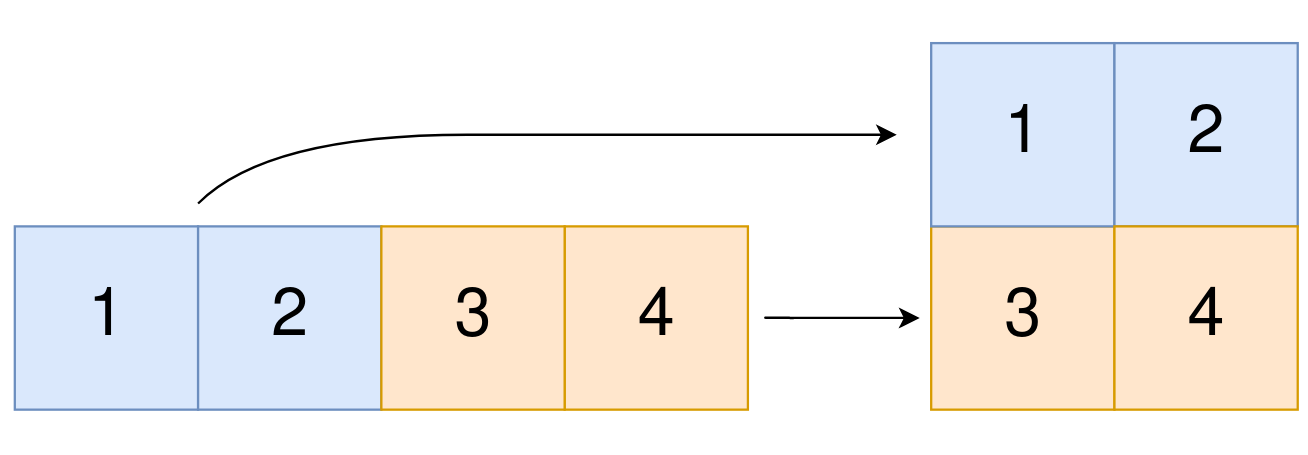
How To Convert A 1D Array Into A 2D Array? Table Of Contents: np.newaxis np.expand_dims (1) np.newaxis Using np.newaxis will increase the dimensions of your array by one dimension when used once. This means that a 1D array will become a 2D array, a 2D array will become a 3D array, and so on. You can explicitly convert a 1D array with either a row vector or a column vector using np.newaxis. For example, you can convert a 1D array to a row vector by inserting an axis along the first dimension. Example-1: a = np.array([1, 2, 3, 4, 5, 6]) a array([1, 2, 3, 4, 5, 6]) a.shape (6,) Adding
-

How To Reshape A Numpy Array ?
How To Reshape A Numpy Array ? Table Of Contents: numpy.reshape( ) Examples Of numpy.reshape( ) (1) numpy.reshape( ) Syntax: numpy.reshape(a, newshape, order=’C’) Parameters: a: array_like – Array to be reshaped. newshape: int or tuple of ints – The new shape should be compatible with the original shape. If an integer, then the result will be a 1-D array of that length. One shape dimension can be -1. In this case, the value is inferred from the length of the array and the remaining dimensions. order: {‘C’, ‘F’, ‘A’}, optional – Read the elements of a using this index order, and place
-

How Do You Know The Shape and Size Of a Numpy Array ?
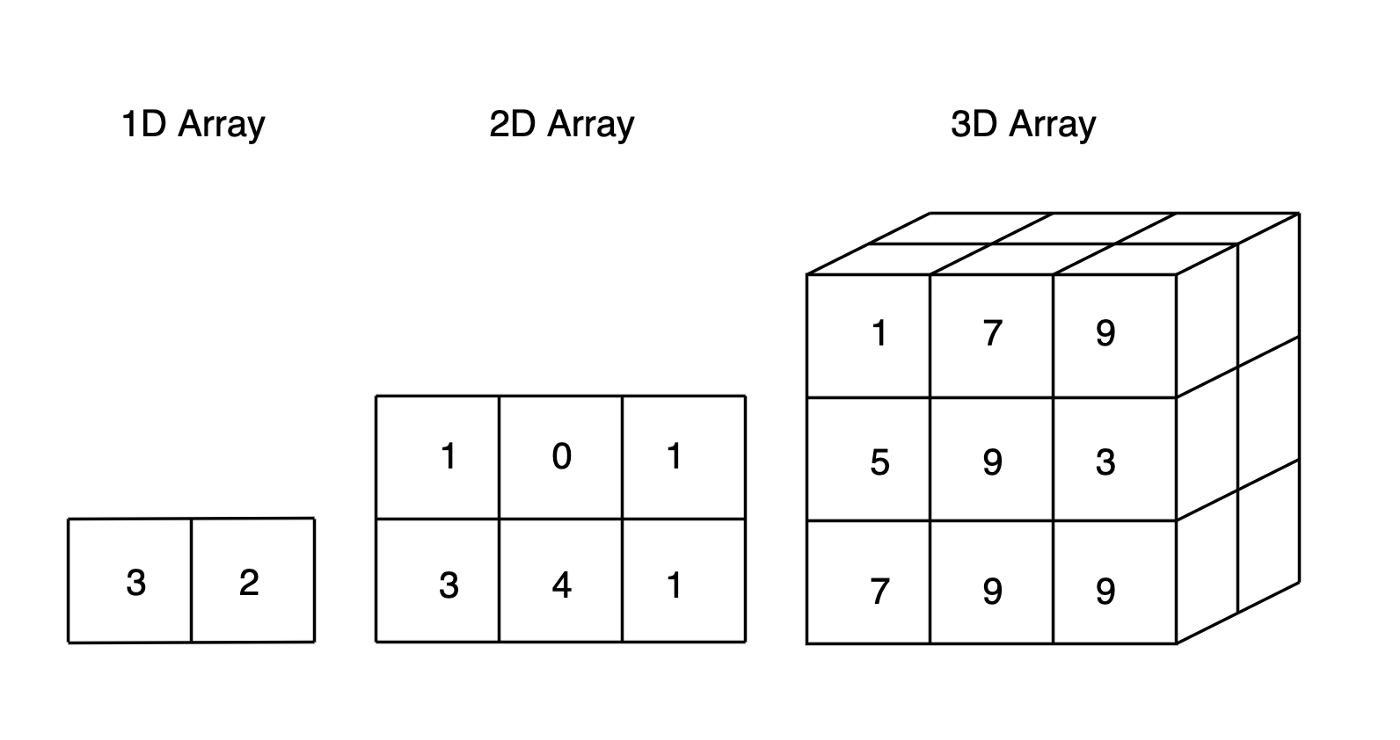
How Do You Know The Shape and Size Of a Numpy Array ? Table Of Contents: ndarray.ndim ndarray.size ndarray.shape (1) ndarray.ndim ndarray.ndim will tell you the number of axes, or dimensions, of the array. Example-1: a = np.array([1, 2, 3]) a array([1, 2, 3]) a.ndim Output: 1 Example-2: b = np.array([[1,4],[3,2]]) b array([[1, 4], [3, 2]]) b.ndim Output: 2 Example-3: c = np.array([[[1,4],[3,2]]]) c array([[[1, 4], [3, 2]]]) c.ndim Output: 3 Example-4: y = np.zeros((2, 3, 4)) y array([[[0., 0., 0., 0.], [0., 0., 0., 0.], [0., 0., 0., 0.]], [[0., 0., 0., 0.], [0., 0., 0., 0.], [0., 0., 0.,
-

How To Remove Elements From Numpy Array?
How To Remove Elements From Numpy Array? Table Of Contents: np.delete( ) Examples Of np.delete() Method. (1) np.delete( ) A copy of arr with the elements specified by obj removed. Note that delete does not occur in-place. If axis is None, out is a flattened array. Syntax: numpy.delete(arr, obj, axis=None) Parameters: arr: array_like – Input array. obj: slice, int or array of ints – Indicate indices of sub-arrays to remove along the specified axis. axis: int, optional – The axis along which to delete the subarray defined by obj. If axis is None, obj is applied to the flattened array. Returns: out: ndarray – A copy of arr with the elements specified by obj removed. Note that delete does not occur
